Renderforest’s AI Website Builder allows you to create a professional, fully functional website by simply describing your vision.
1. The AI Generation Flow
To start, navigate to the AI Website section and follow these steps:
Choose Your Category: Select the category that best suits your needs. This allows the AI to tailor unique solutions and layouts specifically for your industry.
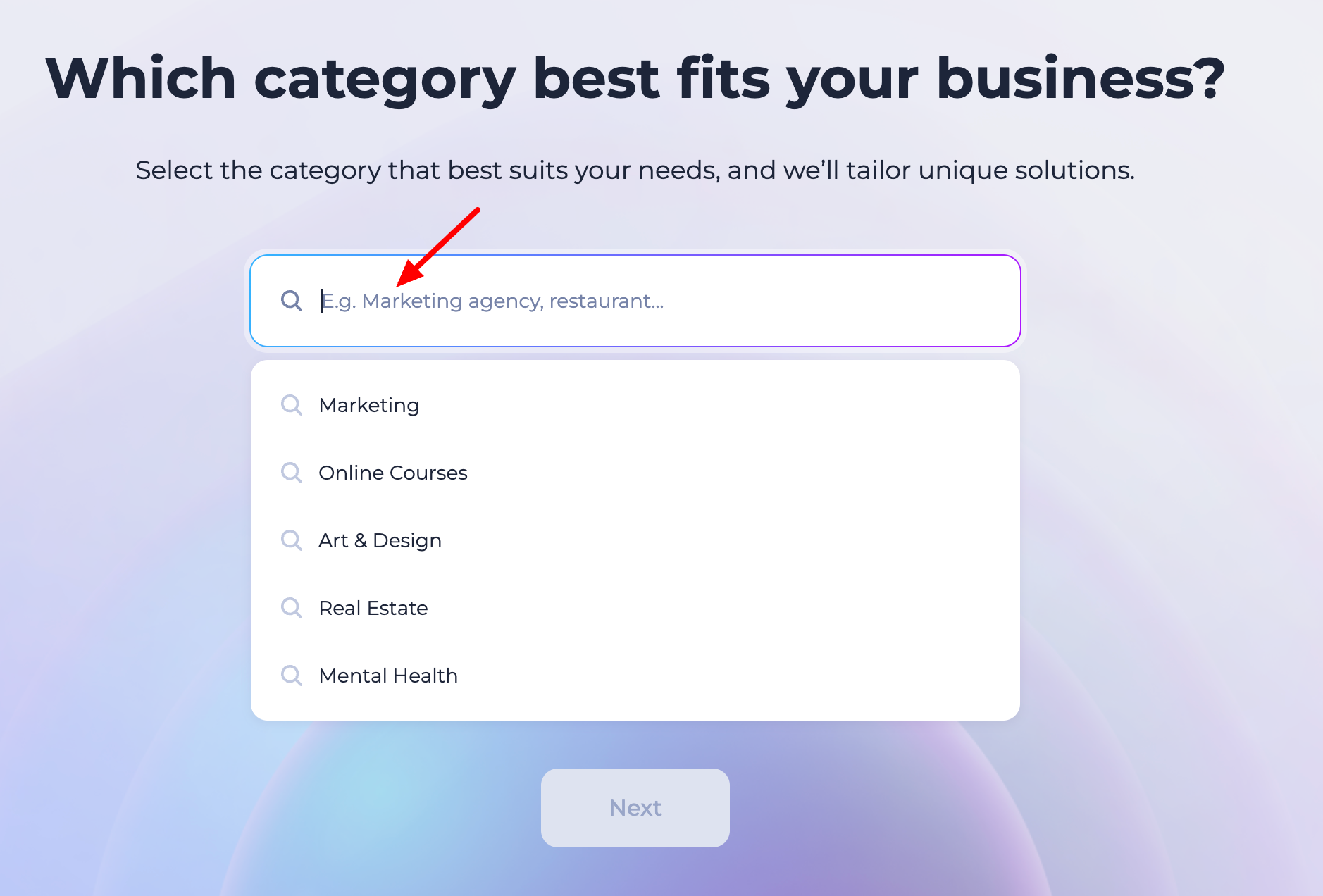
Describe Your Project: Enter your business name and a brief description. The more detail you provide, the better the AI-generated content will be.
Generate Website: Click the generate button, and the AI will build a multi-section layout with relevant text, high-quality images, and a structure designed for your category.
2. Using the Text Wizard (AI Copywriter)
Once your site is generated, you can refine the content without writing it all yourself:
Use the Text Wizard tool within the editor to "uplift" your existing text.
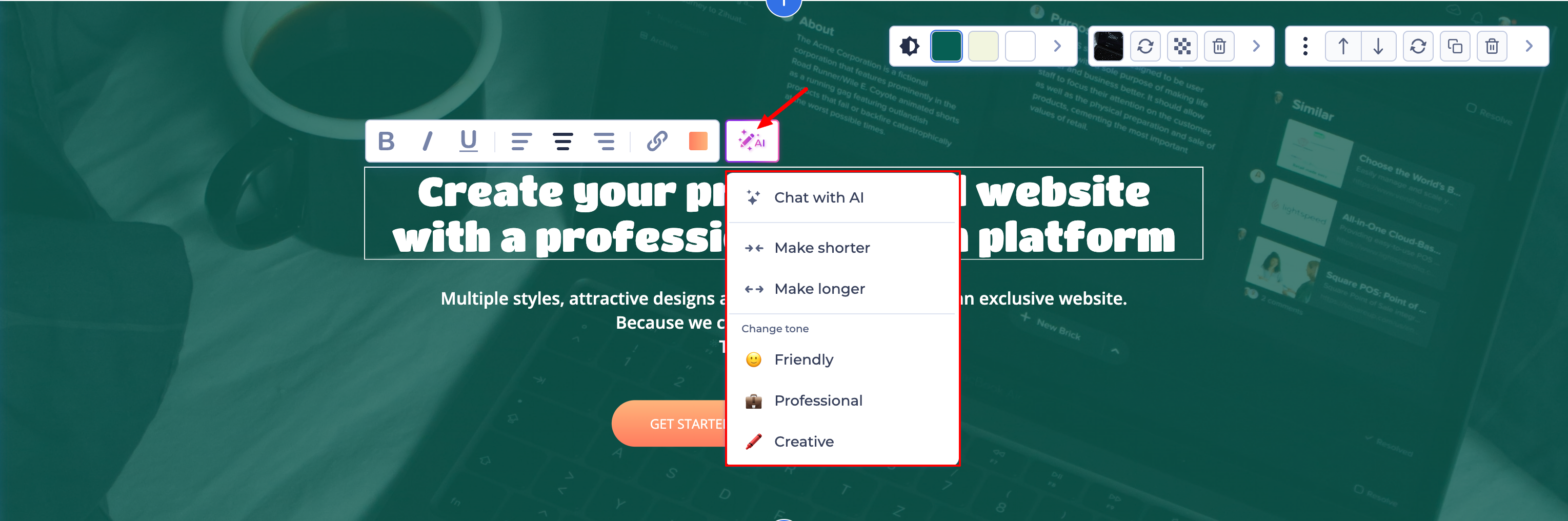
It can generate professional headlines, descriptions, and call-to-actions based on your specific business goals.
3. Multilingual Support
Reaching a global audience is easy with our expanded language tools:
Add Multiple Languages: You can add more than 6 languages to a single website, making it easy to scale your brand internationally.
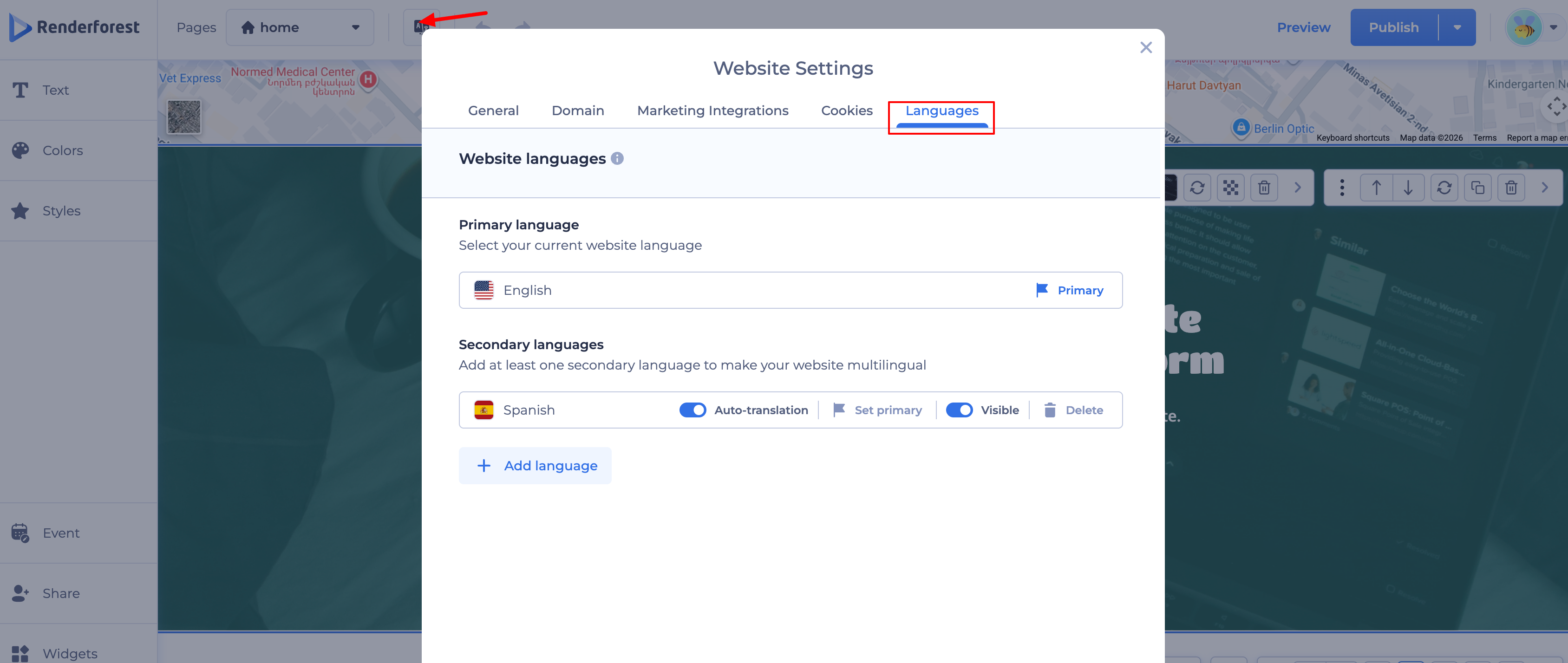
Primary Language: Use the Flag icon to set which language visitors see by default.
Visibility Control: If you are still working on translations for a specific language, change the toggle from Visible to Hidden. This keeps that version private until it’s ready for the public.
4. Managing Website Status & Domains
Online/Offline Toggle: Located to the right of the Publish button, this toggle allows you to take your site offline for maintenance or big updates without deleting your progress.
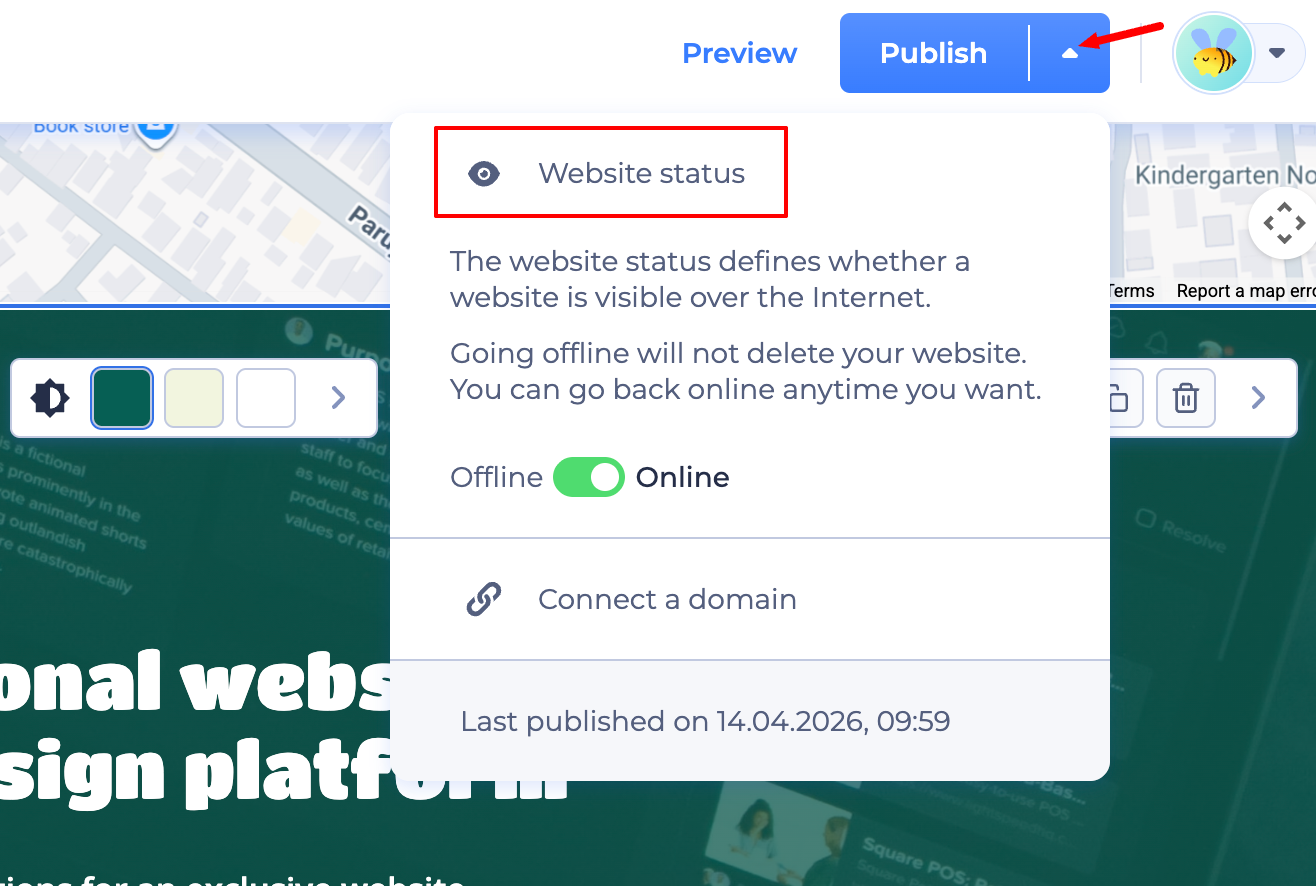
Custom Domain: Subscribers can connect an existing custom domain (e.g., www.yourbrand.com) to replace the free Renderforest subdomain.
Get a New Domain: If you don't have one yet, you can buy a domain directly on Renderforest to keep your hosting and domain management in one place.
Quick Tips:
RSVP Tool: Perfect for events, you can add a built-in RSVP form to collect guest responses and manage attendee lists directly.
Responsive Design: You don't need to build a mobile version! Your site is automatically optimized to look perfect on desktop, tablet, and mobile devices.
Was this article helpful?
That’s Great!
Thank you for your feedback
Sorry! We couldn't be helpful
Thank you for your feedback
Feedback sent
We appreciate your effort and will try to fix the article