Multi-Image Prompting allows you to ground your video in reality by uploading real visual references alongside your text script. Instead of the AI imagining a generic scene, it uses your uploaded images—like specific products, characters, or logos—to create a cohesive and brand-consistent video.
How it works:
Visual Reference: You provide the "who" and "what" (upload images).
Text Prompt: You provide the "how" and "where" (write instructions).
The Result: The AI analyzes both simultaneously to ensure your specific assets move and interact exactly as described in your script.
Using Start and End Frames:
To make the generation process even more concise and controlled, most of our AI models allow you to upload a Start Frame and an End Frame.
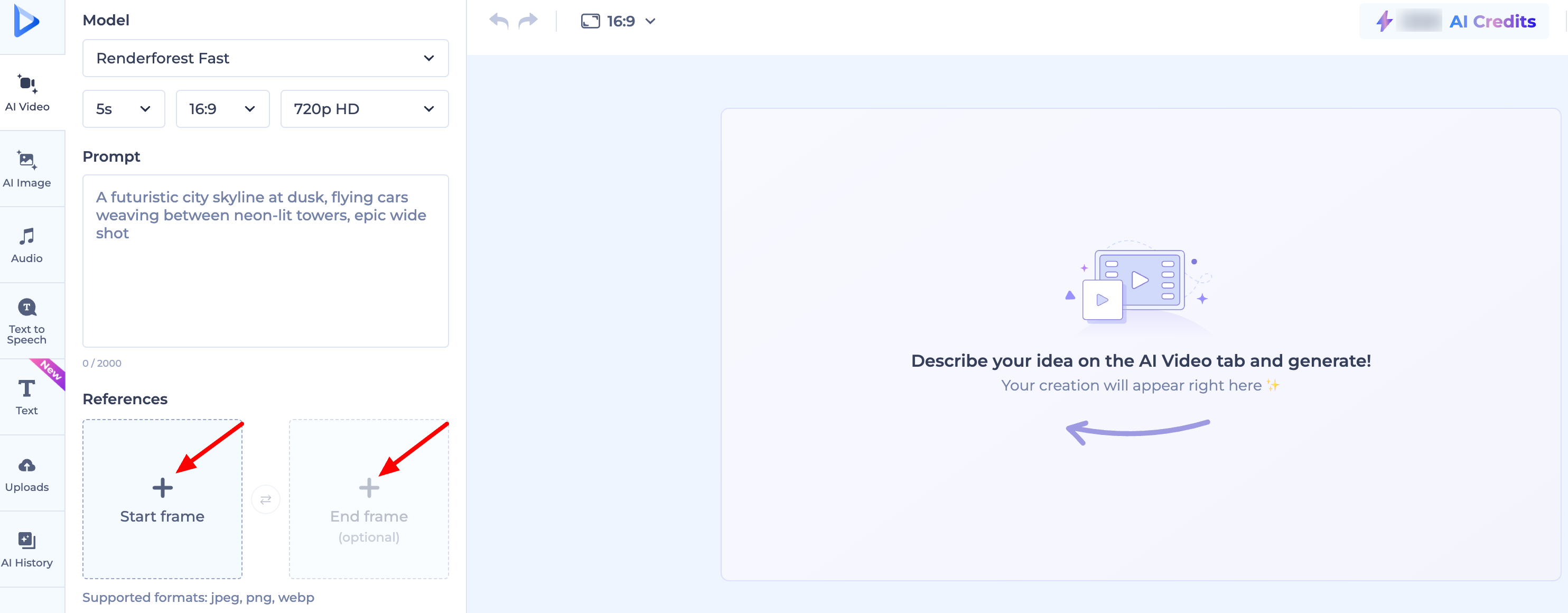
Start Frame: Defines how the scene begins.
End Frame: Defines the exact visual the scene should transition into.
By providing both, you give the AI a clear "path" to follow, ensuring the motion starts and finishes exactly where you want it to.
Was this article helpful?
That’s Great!
Thank you for your feedback
Sorry! We couldn't be helpful
Thank you for your feedback
Feedback sent
We appreciate your effort and will try to fix the article