TABLE OF CONTENTS
- Accessing the AI Avatar Tool
- Choosing Your Avatar
- Setting Up the Voice
- Writing Your Speech
- Generating and Editing Your Video
Accessing the AI Avatar Tool
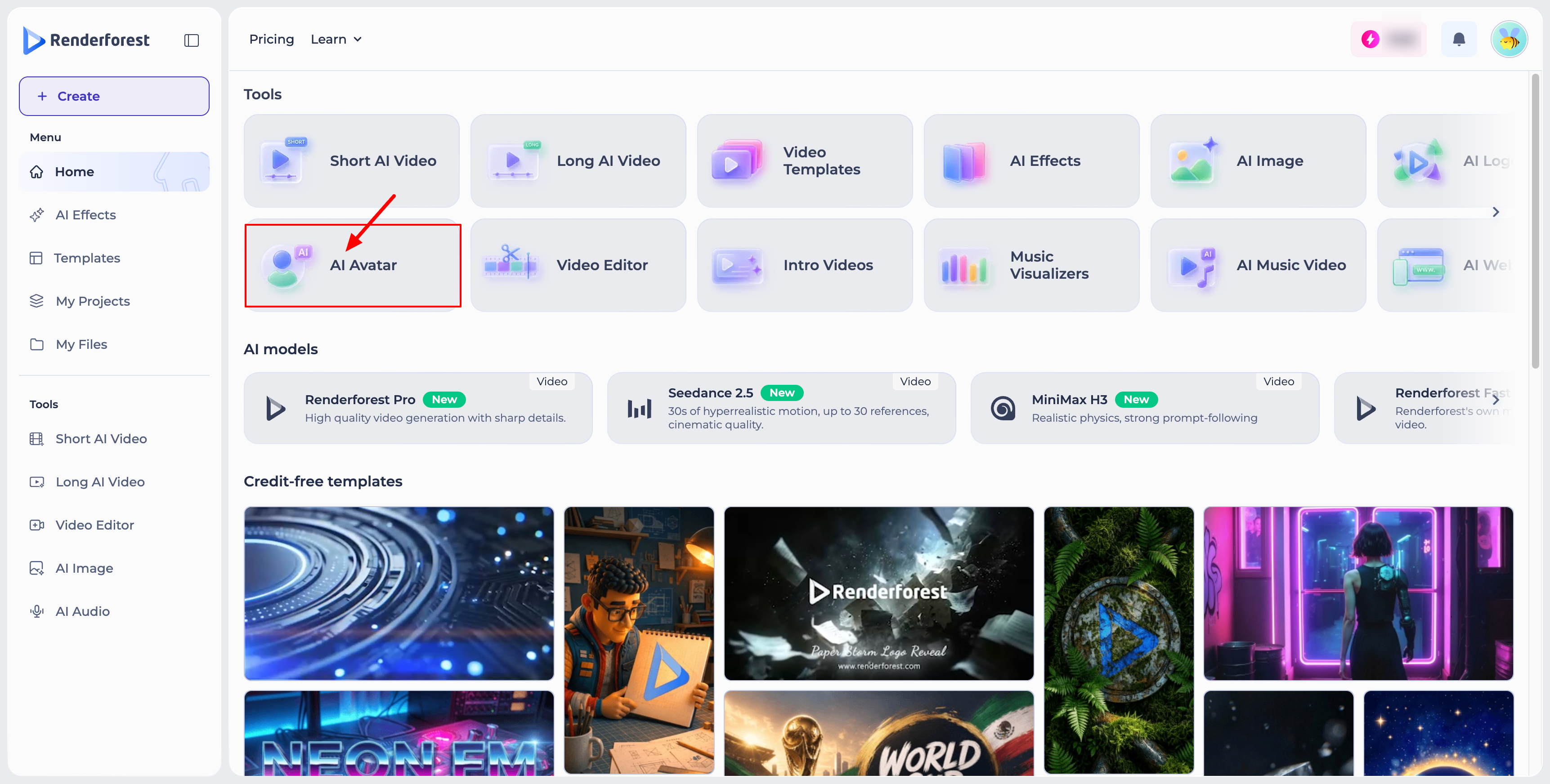
From the Home page, go to the Tools section and click AI Avatar.
Choosing Your Avatar
In the AI Avatar editor, you can either:
- Add avatar — upload an image of your own, or choose one from My Files.
- Public avatars — choose from a library of ready-made avatar characters.
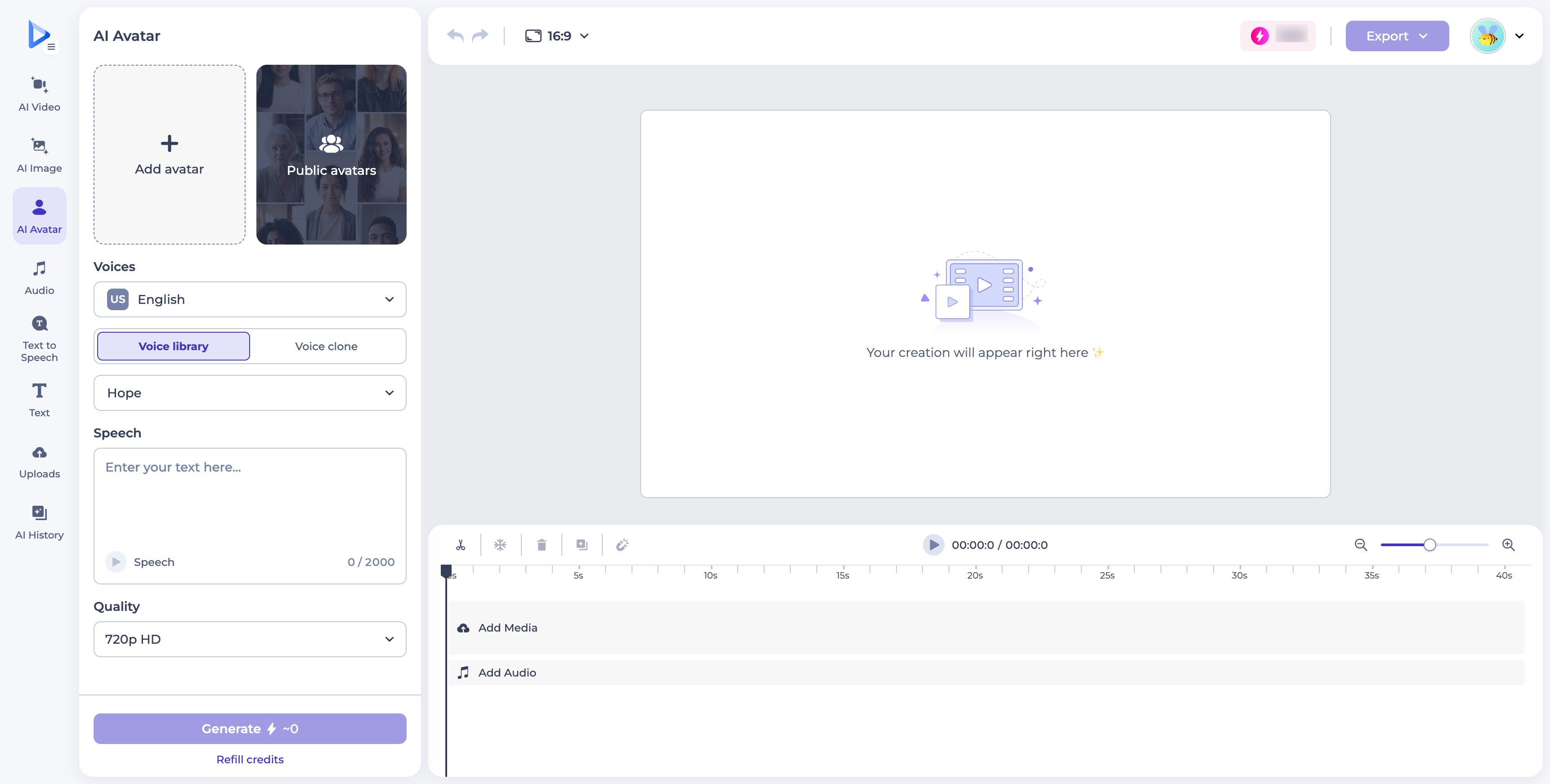
Once selected, your avatar appears in the panel, where you can:
- Expand — preview it full-screen.
- Enhance quality — improve the image's resolution and clarity.
- Resize with AI — let AI adjust the image to better fit your project.
- Delete — remove it.
Setting Up the Voice
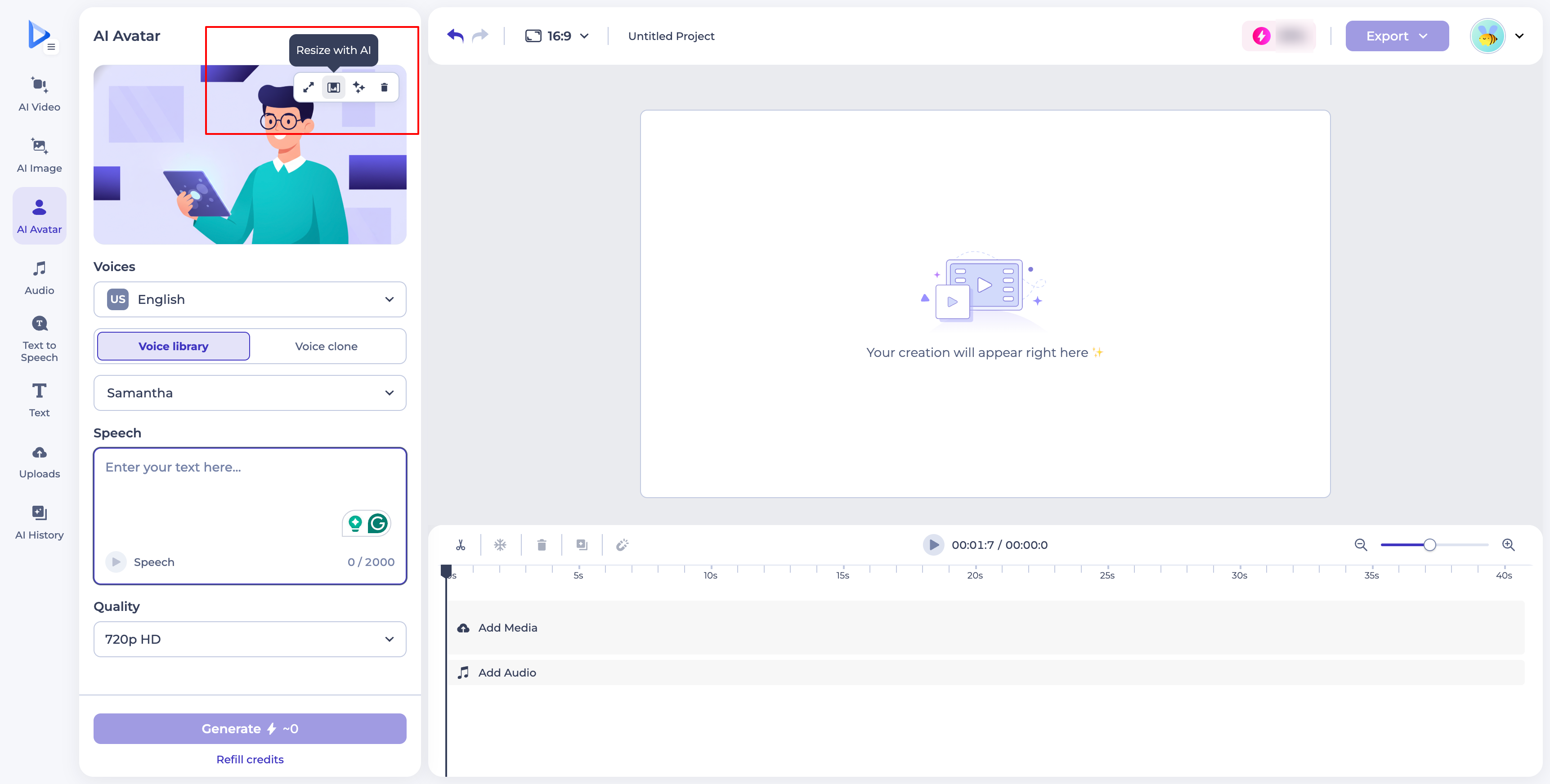
Under Voices, select a language (for example, US English) from the dropdown.
Then choose between:
- Voice library — search and browse a list of preset voices (such as Samantha, Victoria, Claire, Charlotte, Olivia, and Liam), each labeled by gender, with a play button to preview before choosing.
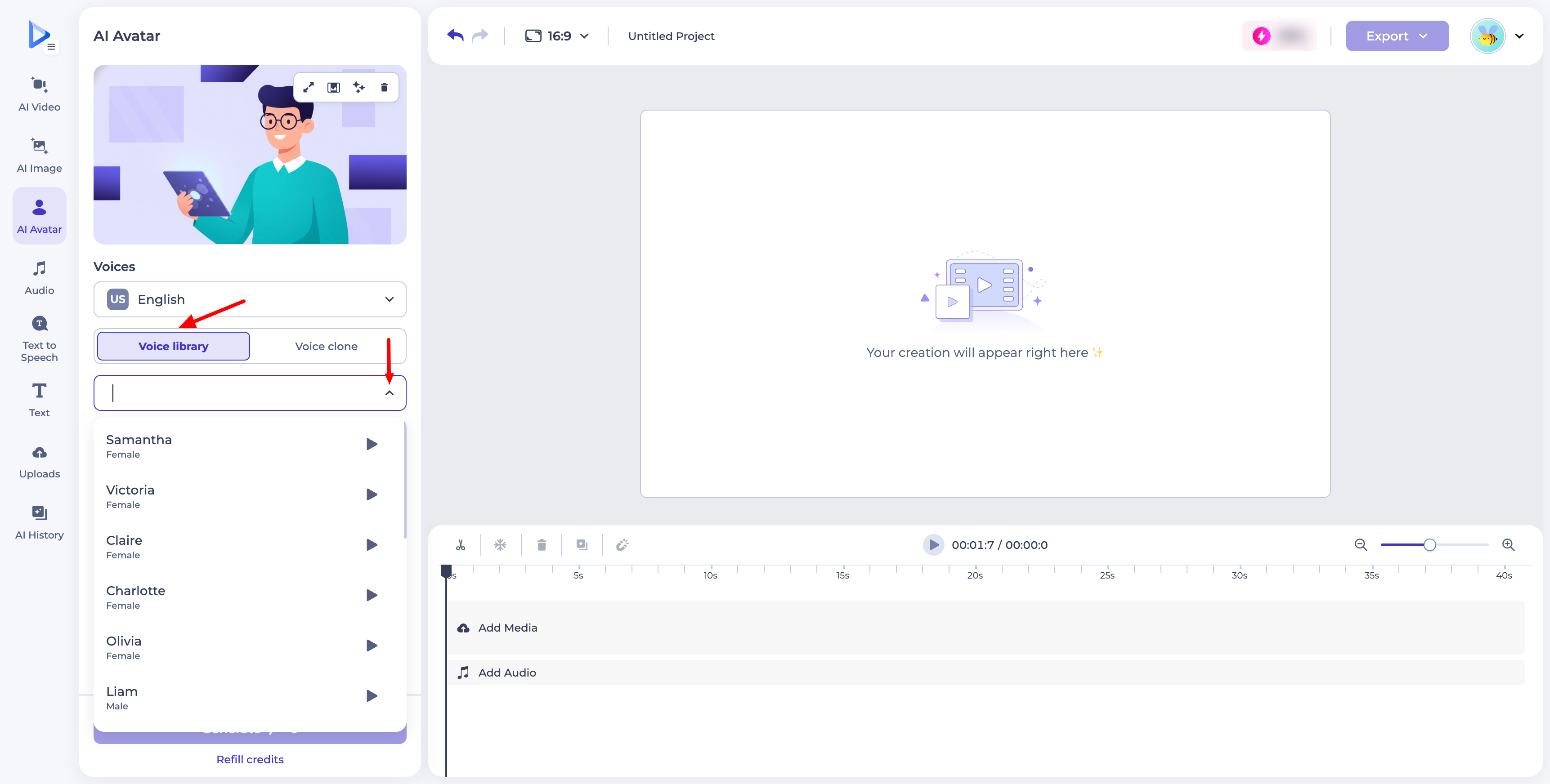
- Voice clone — use a cloned version of your own voice.
Writing Your Speech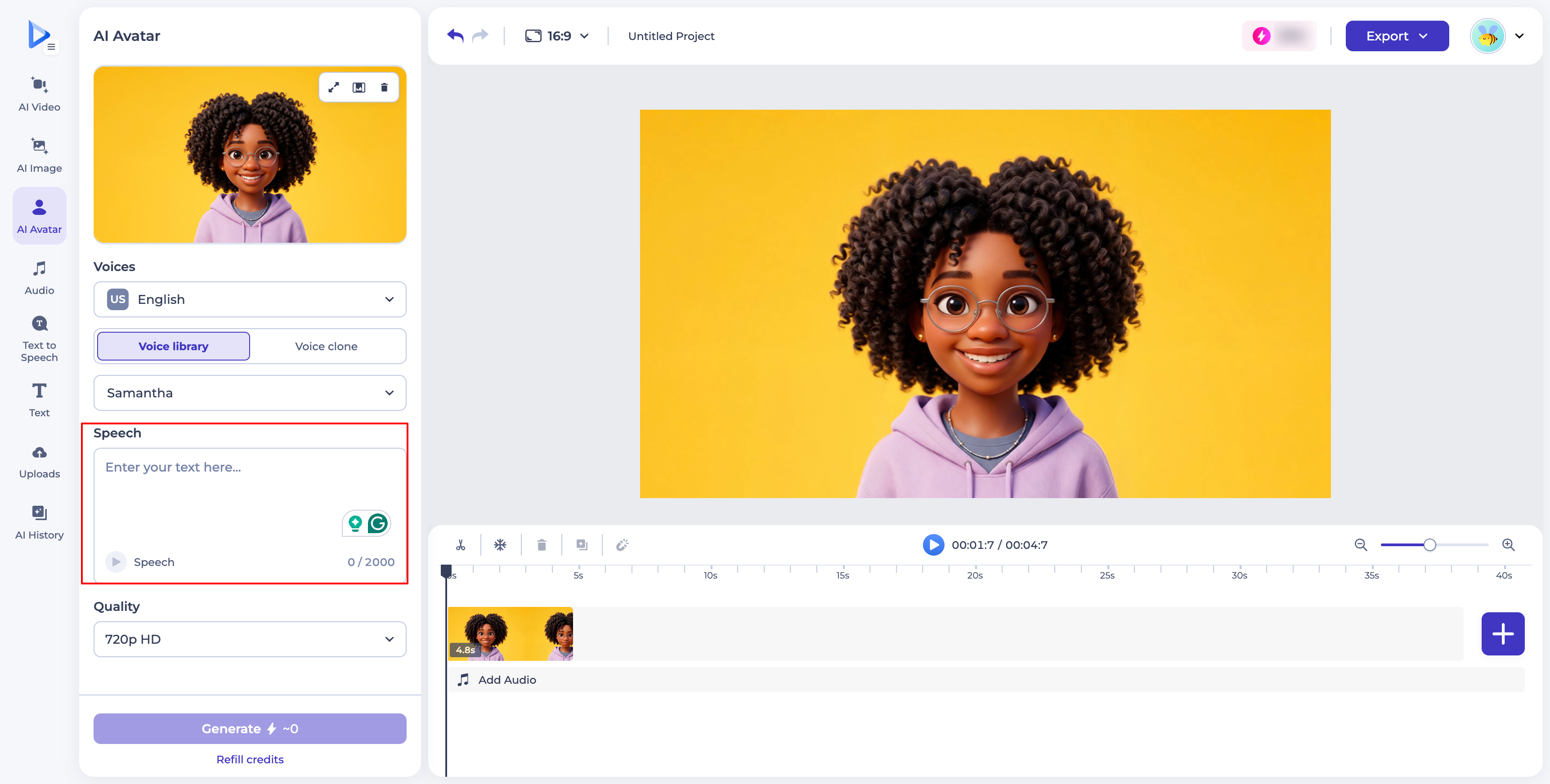
In the Speech field, type the text you want your avatar to say, up to 2,000 characters. You can preview the speech using the playback control below the text field.
Before generating, choose your output Quality (for example, 720p HD).
Generating and Editing Your Video
Click Generate to create your avatar video — the button shows the credit cost based on your settings. If you run low, use the Refill credits link below it.
Once generated, your avatar clip appears in the timeline, alongside tools to cut, freeze, delete, swap, or otherwise edit the clip. You can add additional media or audio tracks using Add Media and Add Audio, and add more scenes with the + button.
When you're happy with the result, click Export to download your final video.
Was this article helpful?
That’s Great!
Thank you for your feedback
Sorry! We couldn't be helpful
Thank you for your feedback
Feedback sent
We appreciate your effort and will try to fix the article