Yes! Incorporating your own photos, logos, or brand assets is the best way to ensure your content is 100% on-brand. You can do this in three ways:
1. Use Images as a Starting Point (Multi-Image Prompting)
Before you generate a scene, provide the AI with visual "anchors" to follow.
How to do it: In the AI Video tab on the left panel, use the Reference Image(s) upload section.
Upload Multiple Images: You can upload several images at once (e.g., a logo, a specific product, and a character).
The Result: The AI uses your actual assets to build a cohesive scene based on your text prompt.
2. Animate Your Photos (Image-to-Video)
Turn a static photo into a moving cinematic clip:
Upload your photo as the First Frame.
Optional: Upload a different angle or version as the Last Frame.
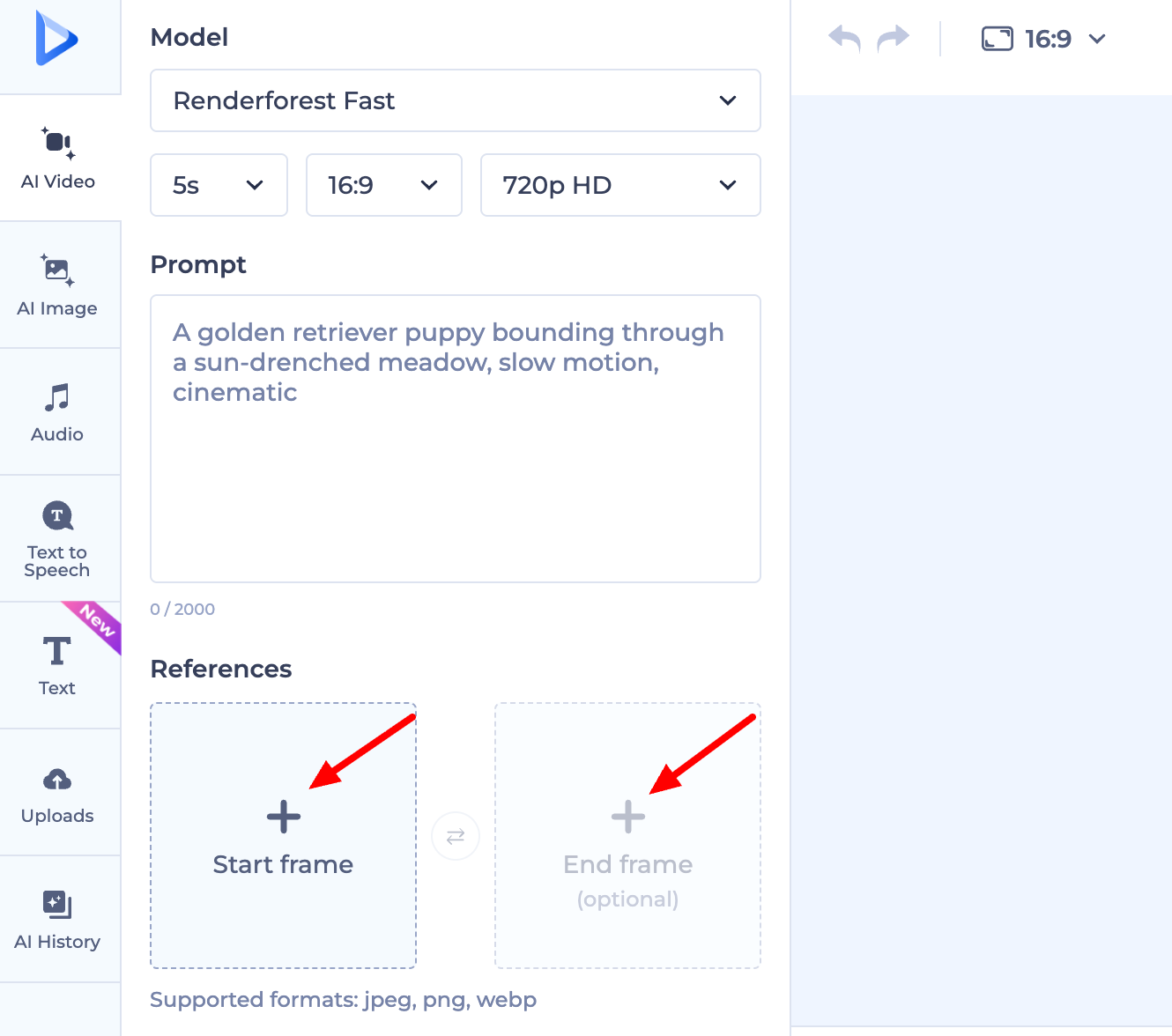
The Result: The AI intelligently "fills in" the movement, creating a 4-10 second video from your static image.
3. Manually Swap Visuals
If the AI generates a scene and you’d rather use an exact, unedited photo:
Simply upload your image to the scene and delete the unwanted AI-generated visual from your timeline.
The Result: This gives you total control to show real team photos, specific product shots, or high-resolution logos exactly as they are.
Was this article helpful?
That’s Great!
Thank you for your feedback
Sorry! We couldn't be helpful
Thank you for your feedback
Feedback sent
We appreciate your effort and will try to fix the article