Creating a consistent character is key to professional storytelling. Renderforest handles this automatically during your initial generation, but also provides manual tools if you are building from scratch.
1. In the Gen AI Flow (Fully Automated)
If you are generating your video using our core Gen AI Flow, our system completely automates character consistency for you:
One-Time Reference: You only need to describe or mention your character once in your initial prompt or script blueprint.
Smart Continuity: The system automatically tracks the character's traits, clothing, and features, keeping them visually consistent across all generated scenes without you needing to repeat yourself.
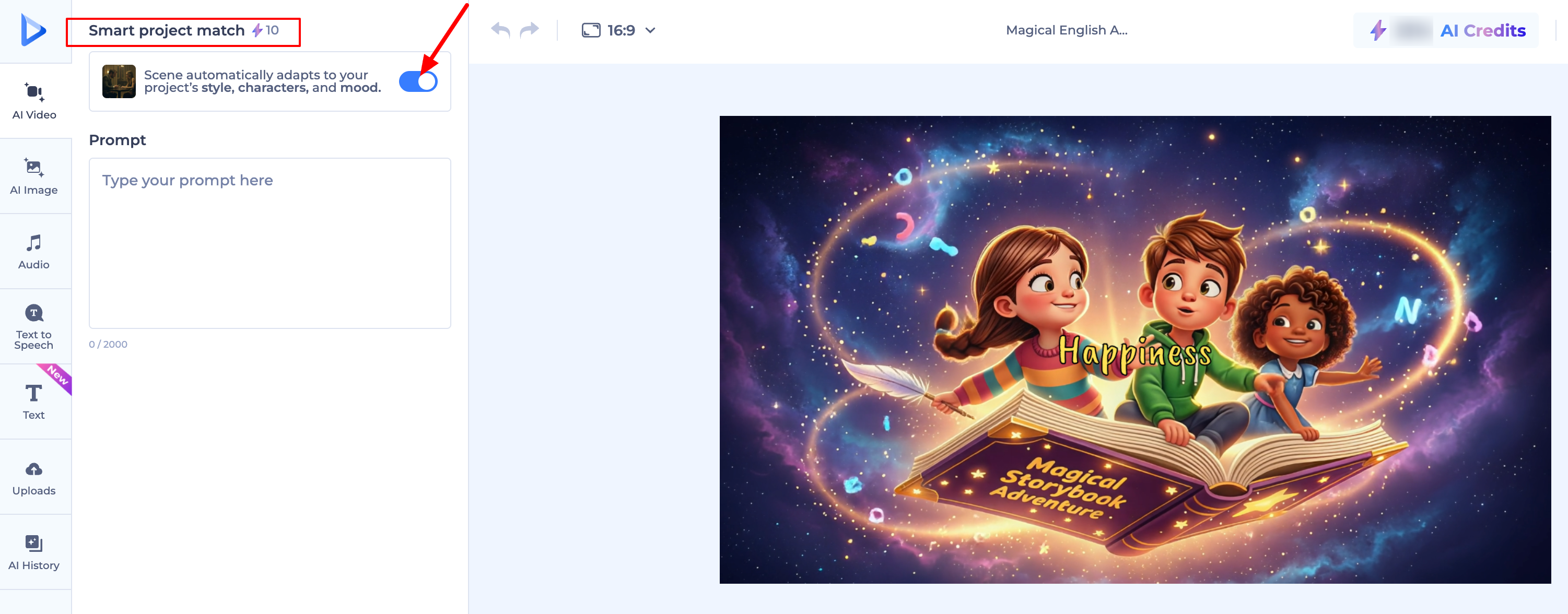
Keep "Smart Project Match" Enabled: Ensure this toggle is ON in your settings. It acts as a visual memory, forcing new scenes to adapt to your project's established style and mood.
2. In the Video Editor (Scene-by-Scene From Scratch)
If you bypass the automated flow and build a video manually, scene-by-scene from scratch in the editor, the AI treats each scene as a new canvas. To maintain a consistent look manually, use these methods:
Use a Detailed Character Profile: Create a specific text profile for your character (e.g., "A 30-year-old man with short blonde hair, glasses, and a blue jacket"). Copy and paste this exact description into the manual edit prompt box for every scene.
Use Reference Images: Upload a photo of your character in the reference image section to give the AI a constant visual anchor.
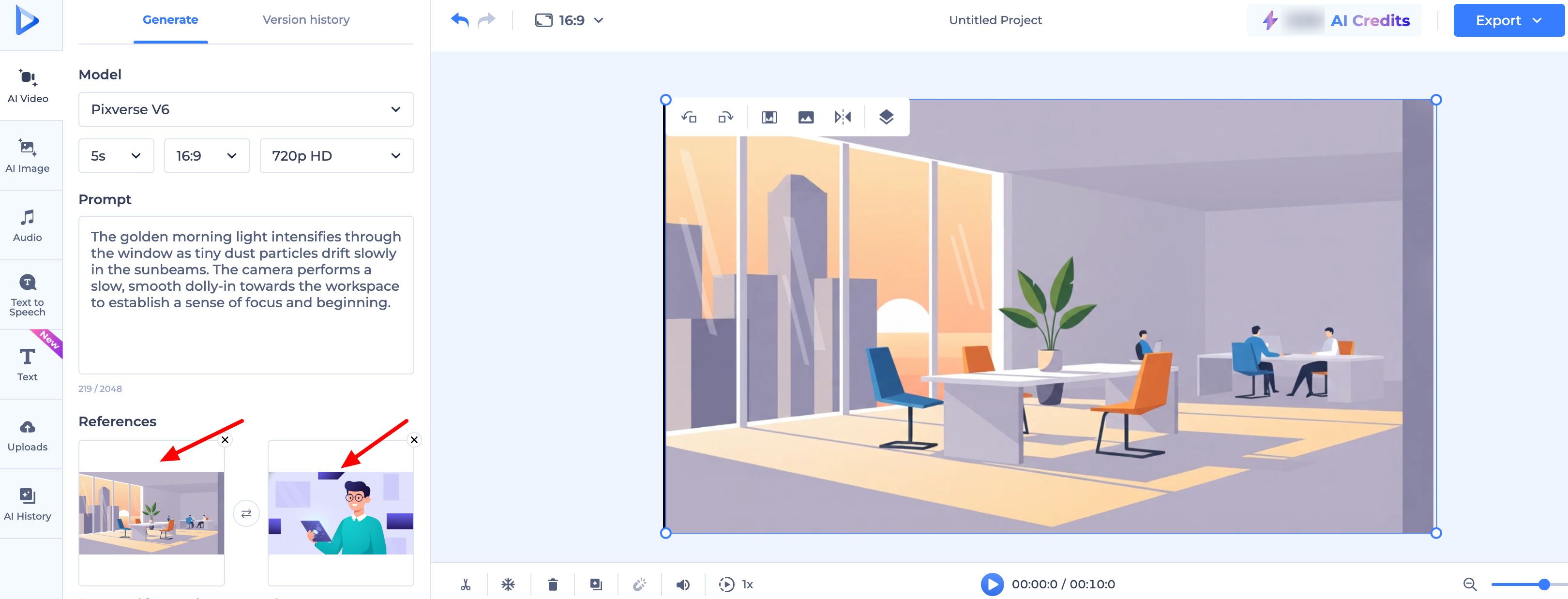
Utilize "First and Last Frame" Guides: For precise control over motion:
First Frame: Upload an image to define exactly how the character looks at the start of the scene.
Last Frame: Upload a second image to define their appearance or position at the end. The AI will perfectly "fill in the blanks" between them.
Pro Tip: Consistency is easiest when you stick to the same AI Model for the entire project. Changing models mid-way will change the overall "art style" of your character, even if your text prompt is exactly the same!
Was this article helpful?
That’s Great!
Thank you for your feedback
Sorry! We couldn't be helpful
Thank you for your feedback
Feedback sent
We appreciate your effort and will try to fix the article